
What Is RajAce App?
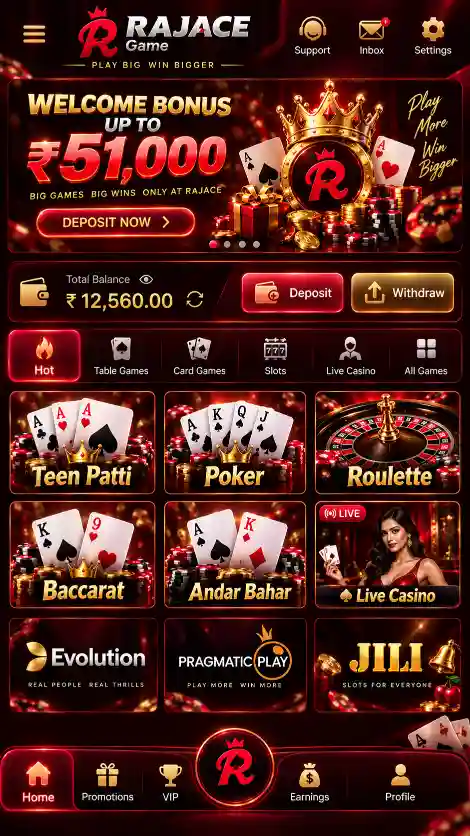
RajAce App is the Android application for RajAce Game. The home screen displays the account balance, game lobby, promotions and shortcuts for Menu, Ranking, Get Cash, VIP and Earn.
Open My Profile for Notifications, Balance Records, Account & Security, Live Support, Gifts, Settings, Ticket and Logout. The side menu provides access to Crash, JILI, Fishing, Evolution, KoolBet, iNOUT, Casino, Slots, Poker, Sports and ICG.
For Android package details, visit RajAce APK. Download instructions are available under RajAce Game Download.
The RajAce Game App combines the game lobby and account tools in one Android interface. To find a feature, start from the home screen: choose Menu for games, My Profile for account settings, or the balance area for Wallet options.
RajAce App Details for Android
RajAce App runs on Android. The Android file details are:
The APK size describes the download file. Android can use additional storage after installation for app data and updates.
Android requirement: RajAce App requires Android 5.0 or later. Device compatibility also depends on the downloaded package and available storage.
RajAce App Features
- Home: Access the game lobby, balance, featured titles and promotional banners.
- Menu: Open game categories and shortcuts to Promotions and Deposit.
- Ranking, Get Cash, VIP and Earn: These appear on the bottom navigation bar.
- My Profile: Find account security, notifications, transaction records, gifts and settings.
- Wallet: Select Deposit or Withdraw and review the available balance information.
- Help: Open Live Support or Ticket from the account options.
How to Navigate RajAce App
The home screen shows the balance area, gifts shortcut and the bottom navigation. Tap Menu to view game categories; open My Profile for account settings and records.
- Bottom navigation: Menu, Ranking, Get Cash, VIP and Earn.
- Side menu: Home, Crash, JILI, Fishing, Evolution, KoolBet, iNOUT, Casino, Slots, Poker, Sports, ICG, Promotions and Deposit.
- My Profile: Notifications, Balance Records, Account & Security, Live Support, Gifts, Settings, Ticket and Logout.
- Balance shortcut: Open the balance menu to locate Deposit and Withdraw.
Finding Account Settings
- Open RajAce App and complete any required mobile verification.
- Open My Profile to view the account options.
- Select Account & Security for password settings, or Balance Records for account entries.
- Use Live Support or Ticket if an account issue remains unresolved.


Games Available in RajAce App
Crash and Quick-Round Games
- Aviator: Rising multiplier with a cash-out decision before the crash.
- Mines: Select safe tiles while avoiding hidden mines.
- Plinko: Drop a ball through pegs to a result slot.
- Dice: Number- or dice-based outcomes under the selected title's rules.
Other Game Collections
- Slots and providers: Reel-based titles, JILI, PG and Pragmatic Play collections.
- Card games: Rummy, Teen Patti, Poker and Andar Bahar.
- Fishing: Arcade-style games with moving targets.
- Casino and game shows: Roulette, Evolution and Crazy Time.
- Other menus: KoolBet, iNOUT, Sports and ICG.
Each title has its own rules, controls and outcome calculations. Detailed game explanations are available on the RajAce Game homepage.
RajAce App Login and My Profile
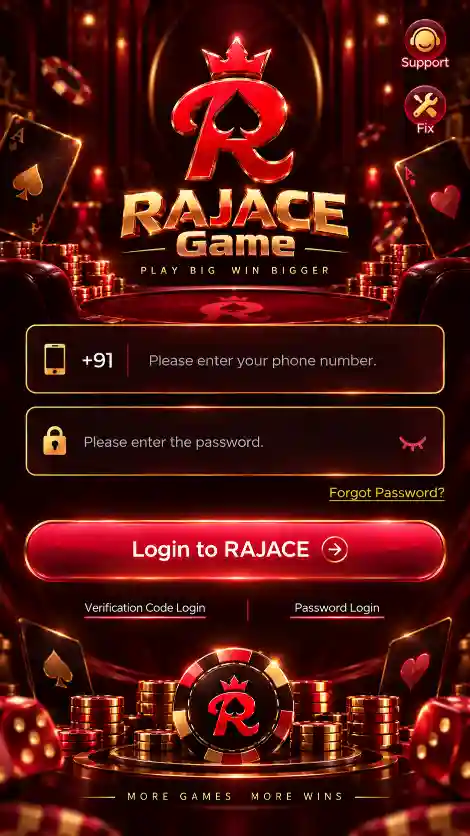
First-time RajAce account access uses a registered mobile number and an SMS verification code. After verifying the number, users can manage their account from My Profile.
First-Time Mobile Verification
- Open RajAce after installation.
- Enter the mobile number used during the download and registration process.
- Tap Send Code.
- Enter the received SMS code.
- Continue to the RajAce Game lobby after verification.
Set Your RajAce Login Password
Open My Profile → Account & Security → Login Password, then:
- Enter your registered mobile number.
- Request and enter the verification code.
- Create a password of 8–32 characters.
- Enter it again under Confirm Password and save.
For later access, use your registered number and saved password, with any additional verification requested by the app. See the RajAce Login guide and RajAce Registration guide for account-specific help.
Balance Records and Live Support
Balance Records help you review recorded account activity. Live Support is available for unresolved account or transaction questions. Never give anyone your SMS code or password.
RajAce App Wallet: Deposit and Withdrawal
RajAce Wallet has separate Deposit and Withdraw tabs. Select the correct one before entering payment or bank details.
Deposit in RajAce
- Payment methods: Review the Paytm, PhonePe and QR Code options displayed in your account.
- Before paying: Check the selected payment method, instructions and destination carefully.
- After paying: Review Wallet and Balance Records before attempting another deposit.
Select the displayed amount and payment method, follow the payment instructions, then check Balance Records. See RajAce Deposit for payment steps.
Withdrawal and Bank Details
Open Wallet → Withdraw. If a bank account is not linked, use + Bank or Add Card to enter the account holder's name, account number and 11-character IFSC.
- Bank account: Enter the account holder name, account number and 11-character IFSC.
- Balance: Review Withdrawable Balance separately from Cash Balance.
- Limits and conditions: Check the amount available, daily limit, any fees and wagering requirements shown before requesting a withdrawal.
Check Cash Balance and Withdrawable Balance separately before selecting an amount. See RajAce Withdrawal for bank and withdrawal steps.
RajAce App Bonuses and Rewards
RajAce shows a ₹200–₹500 bonus range and provides Promotions, Gifts, Ranking and Earn areas. Open an offer to view its eligibility and terms.
- First Deposit Bonus: An offer linked to eligible first deposits; read the current wagering and eligibility conditions.
- 7 Days Daily Bonus: Rewards arranged across a seven-day period.
- Ranking Rewards: Promotions displayed through the ranking section.
- Referral Rewards: Offers associated with eligible referrals.
Review each offer's eligibility, wagering terms and account status inside RajAce before using it. The RajAce Bonus guide covers reward-related details.
How to Download, Install and Open RajAce App
- Tap RajAce Game Download and enter your active mobile number on the download screen.
- Check the number, tap Confirm and allow the browser to save RajAce.apk.
- Open the completed file from Android Downloads or File Manager.
- Review Android's installer and tap Install if the package and its source are trusted.
- Open RajAce, enter the registered number, tap Send Code and complete SMS verification.
After sign-in, use Menu for game collections, My Profile for account settings and Wallet for Deposit or Withdraw. The RajAce APK installation instructions cover installer errors.
RajAce App Latest Version and Updates
Before updating, compare the installed RajAce version with the download offered on the RajAce Latest Version page. The current website APK details are shown in the information table above.
- Check the current installed version in Android App info or the app's available details.
- Obtain the intended RajAce update package.
- Confirm the file finished downloading and that storage is available.
- Open it through the Android installer and review any update prompt.
- After installation, open RajAce and check account access.
A package or signature mismatch can block an update. Do not uninstall a working app or disable Android security just to bypass an error. See RajAce APK troubleshooting for installation-specific help.
Improve RajAce App Performance on Android
When checking an issue in the RajAce Game App, note the screen where it occurs and whether it happens after reopening the app. If a payment appears delayed, review Balance Records before making the same payment again; this helps avoid duplicate transactions.
Game screens and account screens may use different amounts of network data and device memory. If RajAce becomes slow, identify whether the problem affects one title or the entire application.
- Internet: Check Wi-Fi or mobile-data stability.
- Storage: Keep free space available for app data.
- Background apps: Close other demanding apps if memory is limited.
- Restart: Close and reopen RajAce after a temporary freeze.
- Transactions: Check Balance Records before repeating a payment request.
RajAce App Not Working? Common Fixes
RajAce App Not Opening
Check that Android completed installation. Restart the app or phone, then read any displayed error before uninstalling or clearing stored data.
Game Lobby Not Loading
Check your connection. If only one game fails, try opening another category to distinguish a game-specific issue from a wider app problem.
RajAce OTP Not Received
Confirm the registered number, SIM and SMS reception. Enter the current verification code exactly as received. Use Live Support if delivery repeatedly fails.
Login Password Not Working
Confirm you are using the correct registered number. If no password has been created, complete mobile verification first. Use the available account recovery options rather than trying unrelated credentials.
Wallet Balance Not Updating
Check the correct Wallet tab and Balance Records before repeating an action. For an unresolved deposit or withdrawal, use Live Support with the relevant transaction details.
RajAce App Update Failed
Check the downloaded package, free storage and Android installer message. A package conflict needs a different fix from a network or storage problem.
RajAce Account Security and Responsible Gaming
If you use the RajAce App on a shared device, use the available Logout option when finished. Before entering a verification code, check that the request comes from the account action you started; do not share codes with anyone claiming to offer support.
Keep your login password and SMS verification code private. Check payment and bank details before submitting a transaction. Review the current rules for each game and the eligibility requirements attached to promotions.
Real-money game results are uncertain and financial losses are possible. Observe applicable age and local legal requirements. See Responsible Gaming for guidance.